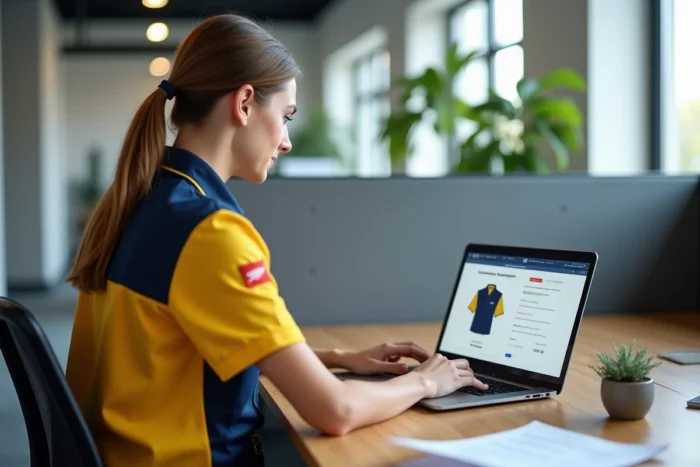
My clothing space at La Poste is based on a points allocation mechanism, hierarchical validation, and fixed-date ordering campaigns. For a new agent, the challenge comes not so much from the catalog but from distinguishing between technical issues and rights issues, two categories of blockages with radically different solutions.
Browser error or HR rights issue: diagnosis before taking action
The existing guides treat connection blockages as a whole. The reality on the ground shows two families of symptoms that do not call for the same contact person.
| Symptom | Probable Origin | Action to Take |
|---|---|---|
| White screen, partial page, display errors | Browser, cache, or extensions | Clear cookies related to laposte.fr, test another browser or private browsing |
| Error 403, account recognized but without clothing rights | Synchronization of HR identifier / internal directory | Contact internal IT support or HR department |
| Functional access but allocation displayed as zero | Profile not linked to the correct department or campaign not open | Request the clothing manager of the unit |
A new agent who encounters a white screen wastes time if they call HR. Conversely, a 403 error cannot be resolved by clearing the cache. Identifying the category of the blockage before taking action avoids several days of waiting.
When you find my clothing space at La Poste explained in your search results, the first reflex is to check that your profile is properly synchronized with the internal directory before manipulating anything on the browser side.
Clothing manager of the unit: the role that new agents overlook
The platform monespacehabillement.laposte.fr is a self-service catalog, but each unit has a clothing referent with specific access. This manager can correct profile anomalies, initiate returns, and launch restocks.
For a newly arrived agent, this referent is the first useful contact in three specific situations:
- The points allocation does not appear while the ordering campaign is open for colleagues in the same department
- The profile shows a job or assignment that does not match the actual position, which skews the proposed catalog
- An delivered item has a defect or size error, and the return requires validation from the manager before reshipment
The clothing manager is not always identified in the displayed organizational chart. Ask for their name from your direct supervisor during the first week.
Points allocation and ordering campaigns: what conditions access to the catalog
The platform does not function like a constantly open online store. Orders are only possible during renewal campaigns, the dates of which vary according to the territorial departments.
Each agent receives a points envelope calibrated to their job. A delivery person on an outdoor route, exposed to the elements, has a larger allocation than an agent assigned to the counter. The items in the catalog display a cost in points (not in euros), and the available balance decreases with each order validation.
Why the allocation may seem insufficient in the first year
A new agent sometimes receives a complete initial allocation to build their basic wardrobe. In subsequent years, the renewal envelope is smaller as it only covers the replacement of worn items. The gap between these two envelopes often surprises.
Prioritize high-wear items (shoes, technical pants) before complementary pieces (fleece, accessories). The remaining points balance after validation is visible on the homepage of your space.

Hierarchical validation on monespacehabillement: delays and points of blockage
Unlike a standard online purchase, the order goes through a manager validation step before shipping. This process exists to verify the consistency between the ordered items and the position held.
In practice, two situations slow down the process:
- The direct manager is absent or has not activated the validation delegation, which blocks the order in pending status without notification to the agent
- The agent has selected items outside the scope of their job profile (for example, personal protective equipment reserved for another function), which triggers a rejection
- The ordering campaign is approaching its closing date and the manager has not yet processed the cart, which can lead to automatic cancellation
Check the status of your order in the “my orders” section of the platform. If the status remains “pending validation” for more than a few days, directly follow up with your supervisor.
PPE standards and specific items
Some clothing items in the catalog meet personal protective standards (high visibility, safety shoes). These items are reserved for job profiles that are exposed to them. If your catalog does not display this equipment while your position requires it, it is a sign that your job profile is not correctly filled out in the HR directory.
The clothing manager of your unit can escalate the correction request to the HR department. This type of anomaly is usually corrected before the next campaign, provided it is reported early.
The majority of difficulties encountered by new agents on My clothing space at La Poste can be resolved by identifying the right contact person at the right time. The clothing manager of the unit remains the most effective entry point for anything related to rights, profiles, and allocation anomalies.