
Accessing Air France’s intranet from a personal computer or smartphone is not automatic. The Intralignes portal relies on a strengthened authentication system that regularly blocks employees who have their credentials. The confusion between the different internal platforms (IPN, GPnet, EasyRH) adds a layer of complexity that the usual tutorials barely touch upon.
Prior activation of remote access to Intralignes
The first obstacle is not the password, but the activation itself. To connect to Intralignes from outside the Air France network, a prior activation procedure is mandatory. Without this step, the login page returns an error even if the IPN username and password are correct.
This activation is carried out from a workstation connected to the company’s internal network (at a layover, at the base, or in administrative offices). The employee must register their personal device in the PingID system, the two-factor authentication tool deployed by Air France. The registration links a specific device (smartphone, tablet) to the IPN account.
A guide to connecting to Intralignes Air France details the technical steps of this registration, which remains the main source of blockage for both flight crew and ground staff.
Field feedback varies on the validity period of this activation. Some crew members report having to re-register their device after an operating system update, while others retain access for several months without intervention. Air France has not publicly communicated a fixed rule on this point.

PingID Authentication: What Double Verification Changes
Access to Intralignes requires a IPN username coupled with secure PingID authentication. This two-factor verification mechanism (SSO plus second proof of identity) replaces the simple username/password logic described by most online pages.
Specifically, after entering their credentials on the login page, the employee receives a push notification on the PingID app installed on their smartphone. They must validate this notification within a short time frame to complete the access.
Common Issues with PingID
- The PingID app is not installed or is not up to date on the registered device, preventing the reception of the push notification
- The smartphone used during activation has been changed without re-registering the new device in the system
- The phone’s internet connection is unstable at the time of validation, causing a session timeout
- The IPN account is locked after several failed attempts, requiring unlocking by internal IT support
PingID does not work without an internet connection on the smartphone. This detail regularly traps crew members on layovers in areas with limited network coverage.
Intralignes, IPN, GPnet, EasyRH: Which Portal for Which Process
The confusion between Air France’s internal platforms generates a significant portion of connection difficulties. Employees sometimes try to connect to the wrong portal for the task they want to accomplish.
Intralignes serves as a general intranet portal: company news, HR services, links to business tools, memos, and management communications. It is the main entry point for daily professional life.
IPN refers to the technical intranet network. Some operational applications are only accessible via this network, which sometimes requires the use of a VPN to access remotely. The distinction with Intralignes lies in the scope: IPN covers the network infrastructure, while Intralignes is the interface visible to the employee.
GPnet, accessible via gp.airfrance.fr, is dedicated to managing GP tickets and entitled persons. The credentials are the same (professional account), but access may require a VPN depending on the location. Attempting to manage GP tickets from Intralignes leads nowhere.
EasyRH, hosted on easyrh.airfrance.fr, focuses on administrative processes: pay slips, leave, contractual documents. Its access also uses PingID authentication, but the platform is distinct from Intralignes.
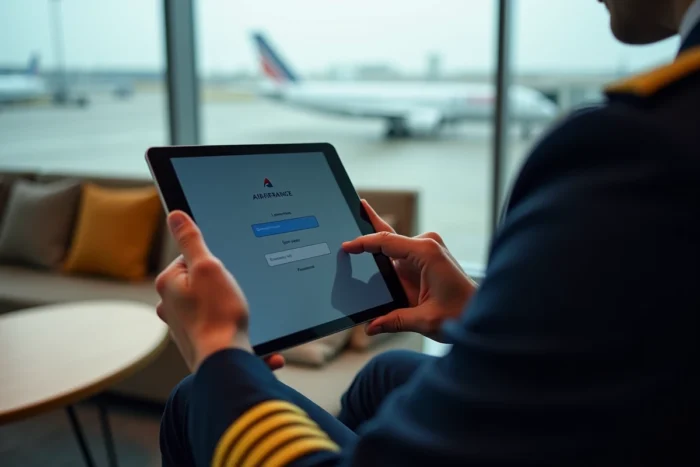
Connecting from a Mobile Device: Specific Constraints
Flight crew primarily access Intralignes from a smartphone or tablet, during layovers or between flights. This situation creates constraints that connecting from a fixed computer does not pose.
The mobile browser must accept session cookies and the multiple redirects imposed by Air France’s SSO. On certain versions of iOS and Android, browsers integrated into applications (webview) block these redirects. Using the phone’s main browser (Safari or Chrome) remains the most reliable method.
Verification Points Before Mobile Connection
- The PingID app is installed, up to date, and linked to the correct IPN account
- The browser used is Safari (iOS) or Chrome (Android), not an integrated browser in a third-party application
- The smartphone has a stable internet connection at the time of PingID validation
- Cookies and private browsing do not block SSO redirects
The available data does not confirm whether Air France plans to develop a dedicated mobile application to replace browser access to Intralignes. Representative unions of flight crew, such as SNGAF, are monitoring the portal’s developments and regularly report accessibility issues encountered by their members.
The majority of connection failures to Intralignes can be resolved by restarting the PingID activation procedure from the internal network. Before contacting IT support, checking the status of the PingID registration on the device remains the most effective reflex, and most often sufficient.